
What it does
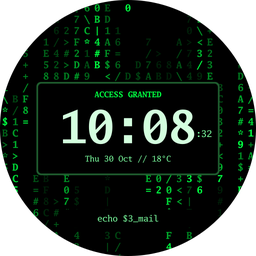
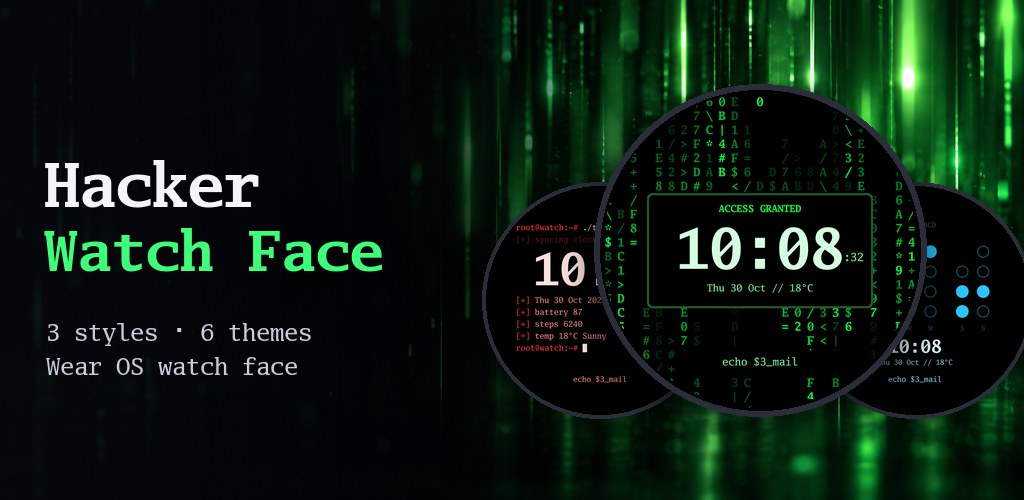
- 3 stylesCode Rain (falling code rain behind the time); Root Shell (a root shell with system stats); Binary Clock (the time as binary dots).
- 6 themesCode Green, Amber Terminal, Cyber Pink, Ice Blue, Red Team and Ghost White, plus 5 ready-made presets you can pick with one tap.
- CustomisableTurn show seconds, battery and steps, weather, code rain on or off, and add one complication slot of your choice.
- Battery friendlyBuilt with Google's Watch Face Format, so no code runs on your watch. The always-on mode keeps only the essentials on screen.
No data collected
Hacker Watch Face has no account, analytics, advertising, tracking or network access. Time, battery, steps and weather come from Wear OS and are shown only on your watch. See the privacy policy for details.
Support
After installing, long-press your current watch face, swipe to Hacker Watch Face and tap it. To change the style, theme and other options, long-press again and tap Customise, or use the Galaxy Wearable / Pixel Watch app on your phone. If the weather does not appear, check the location permission of your watch's weather app. Questions and feedback: info@kodrika.com.tr. We usually reply within two business days.
Destek (Türkçe): Kurduktan sonra saatteki yüze uzun basın, kaydırıp Hacker Saat Yüzü'yi seçin. Ayarlar için yüze yeniden uzun basıp Özelleştir'e dokunun ya da telefondaki Galaxy Wearable / Pixel Watch uygulamasını kullanın. Sorular için: info@kodrika.com.tr.
An independent project by Kodrika.